HackerHolidays - The Byte Lotus Hotel - Day 3 - 'Complimentary'
Complimentary
Introduction
Link: https://tryhackme.com/room/hh-complimentary-05e0b604
Points: 60
Category: Cloud
Difficulty: Easy
🛎️ Concierge Briefing
Lambo installed the Byte Lotus Wellness app the day she arrived — it was free, it had great reviews (written by the app, but she didn't check), and it got her a tote bag for saying yes to camera, mic, contacts, and location access. No account needed. No login screen. It just… knows things about you the moment you open it.
That's the whole pitch: “complimentary” access, no friction, no sign-up. Something still has to be deciding what you're allowed to see, even without a login — and whatever that something is, it isn't checking very carefully.
Your objective: find out how the app knows anything about you at all, and see what else it's willing to hand over.
🗝️ Room Access
Target: http://complimentary-wellness-app-332173347248.s3-website-us-east-1.amazonaws.com/
🏖️ Today's Itinerary
□Track down the mechanism issuing you credentials behind the scenes. □Use those credentials to dump more than your own record from the app's DynamoDB table. □Retrieve the flag from another guest's data.
📸 @0xMia's STORY
@0xMia · posted 40 min after room unlock
"okay wait, the wellness app never once asked me to log in and it STILL knew my name when I opened it 💀 something has to be quietly handing it access behind the scenes... if you find whatever that something is, don't just check what it gives YOU. ask it for more 👀"
Reconnaissance
Visiting the website
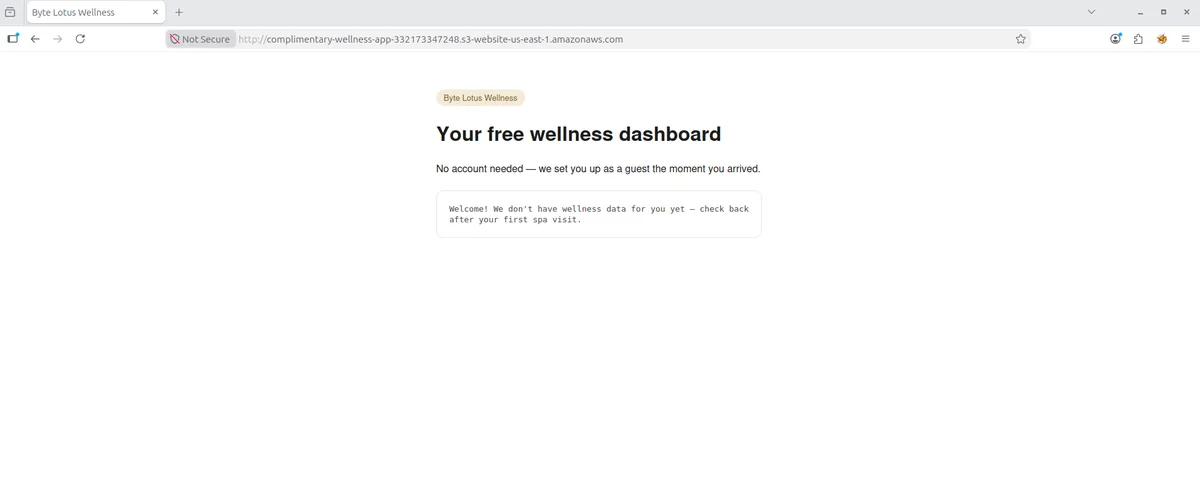
Our first step is to visit the website. As you can see, the app takes great pride in not requiring a login. But how is this possible? Let us take a look at the source code.
<!doctype html>
<html lang="en">
<head>
<meta charset="utf-8" />
<title>Byte Lotus Wellness</title>
<meta name="viewport" content="width=device-width, initial-scale=1" />
<style>
body { font-family: -apple-system, Helvetica, Arial, sans-serif; max-width: 520px; margin: 60px auto; padding: 0 20px; color: #1c1c1c; }
h1 { font-weight: 600; }
.card { border: 1px solid #e6e2da; border-radius: 12px; padding: 20px; margin-top: 24px; }
.pill { display: inline-block; background: #f3ead9; color: #7a5c2e; border-radius: 999px; padding: 4px 12px; font-size: 13px; }
#dashboard { white-space: pre-wrap; font-family: monospace; font-size: 13px; color: #444; }
</style>
</head>
<body>
<span class="pill">Byte Lotus Wellness</span>
<h1>Your free wellness dashboard</h1>
<p>No account needed — we set you up as a guest the moment you arrived.</p>
<div class="card">
<div id="dashboard">Loading your dashboard…</div>
</div>
<script src="https://sdk.amazonaws.com/js/aws-sdk-2.1500.0.min.js"></script>
<script src="app.js"></script>
</body>
</html>
The two script tags are of particular interest to us. The first script tag imports https://sdk.amazonaws.com/js/aws-sdk-2.1500.0.min.js , which is a minified AWS SDK for JavaScript v2 (v2.1500.0). This SDK is a compressed, browser-ready code library designed for developers to connect web apps, serverless functions, and backend services to AWS cloud services like DynamoDB, and Cognito.
- DynamoDB is a fast, fully managed NoSQL database service designed for modern, large-scale applications
- Cognito is an identity platform that handles user registration, authentication, and authorization for web and mobile apps
So it now clear to us that the first tag imported the framework, meaning that the second tag imports the actual logic. Indeed, these are the contents of app.js
// Byte Lotus Wellness — guest dashboard
//
// No login screen on purpose: every visitor gets "free" AWS guest
// credentials from our Cognito Identity Pool so we can save wellness
// preferences without the friction of an account.

const IDENTITY_POOL_ID = "us-east-1:836c0949-292d-485b-b532-52d5ca7bb688";
const AWS_REGION = "us-east-1";
const TABLE_NAME = "complimentary-GuestWellnessProfiles";

AWS.config.region = AWS_REGION;
AWS.config.credentials = new AWS.CognitoIdentityCredentials({
  IdentityPoolId: IDENTITY_POOL_ID,
});

function guestId() {
  let id = localStorage.getItem("byteLotusGuestId");
  if (!id) {
    // First visit: hand out a throwaway guest id, same as checking in.
    id = "guest-" + Math.random().toString(36).slice(2, 10);
    localStorage.setItem("byteLotusGuestId", id);
  }
  return id;
}

function renderDashboard(item) {
  const el = document.getElementById("dashboard");
  if (!item) {
    el.textContent = "Welcome! We don't have wellness data for you yet — check back after your first spa visit.";
    return;
  }
  el.textContent = [
    "Name: " + (item.name ? item.name.S : "—"),
    "Loyalty notes: " + (item.notes ? item.notes.S : "—"),
  ].join("\n");
}

AWS.config.credentials.get(function (err) {
  if (err) {
    console.error("Could not fetch guest credentials:", err);
    return;
  }

  const dynamodb = new AWS.DynamoDB({ region: AWS_REGION });
  dynamodb.getItem(
    {
      TableName: TABLE_NAME,
      Key: { guest_id: { S: guestId() } },
    },
    function (err, data) {
      if (err) {
        console.error("Could not load dashboard:", err);
        return;
      }
      renderDashboard(data.Item);
    }
  );
});
This is all the reconnaissance we need. We are now ready to start completing the tasks in our itinerary.
The Itinerary Tasks
Track down the mechanism issuing you credentials behind the scenes.
app.js is a small file, and the comments help a lot. This is exactly what is happening:
- The app searches localstorage for a stored key-value pair, and if it does not find it, it creates one new.
- The app gives the user AWS credentials
- The app uses those credentials to connect with DynamoDB
- Once connected with DynamoDB, the app uses the key-value pair as the primary key to retrieve and sent the associated record.